WOMS
A simple CMMS for small plants: plan, follow and report maintenance work orders, shift after shift.

WOMS is a simple CMMS (computerised maintenance management system). It helps a maintenance team plan, follow and report work orders for every site, production line and machine. No monthly subscription per user, and your data stays in your company. Everyone sees what is open, what was done and what is next, even when they work in different shifts.
The story
From August 2003 to August 2004 I was technical department manager and advisor at an MDF factory in Borneo, in the middle of the jungle next to the Mahakam river in East Kalimantan. The factory had two MDF production lines: one from Metso, which I knew very well, and one from Siempelkamp, which I didn't know. Line 1, the Metso line, ran fairly well. The biggest problem on the site was the power plant, and line 2, the Siempelkamp line, hardly ran at all. They asked me to help with that line.
I started with the easy problems that had the biggest impact. After three weeks the owner travelled from Jakarta, almost a day's journey, to see me. He asked what I had done. I didn't understand the question. He told me it was the first time since he bought the company that line 2 had run a whole week without a single stop. I hadn't even realised it.
I also worked on the power plant, which was in a very bad state. First I closed the thermal oil circuit: it had been open to the air for who knows how long, so the oil was oxidising, and hot oil in contact with air is a real fire risk. Some problems I could solve, but some systems had simply corroded away, like the flue gas recirculation that brings low-oxygen flue gas back into the furnace to lower the flame temperature. Without it, the plant overheated several times. In my view that installation had to be replaced completely. But most of my time went to line 2.
WOMS was one part of that puzzle. We had no software to follow up the work, no email system, and an internet connection of about 10 kbit/s: emails with pictures simply didn't come through. So we turned an old PC into a server, and I wrote a work-order system in PHP, with Apache and MySQL. It made communication with the workers and technicians much easier, especially because they worked in five shifts. Some of them I didn't see for days, because they were on the night shift or the weekend.
I kept the source code. Now I'm bringing WOMS back to life: the same idea, rebuilt as a modern program, ready to run on one PC or on a company server.


What it does
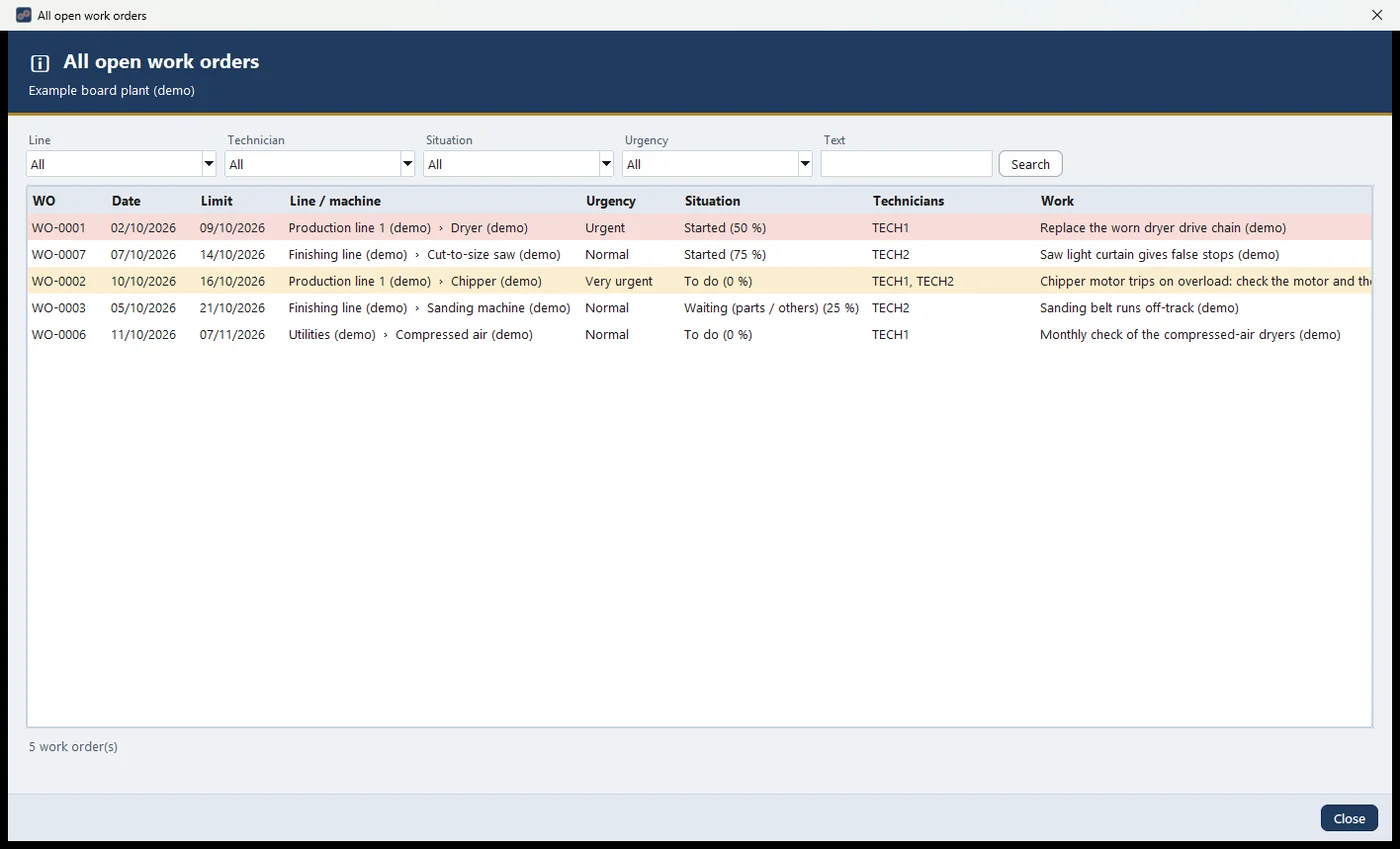
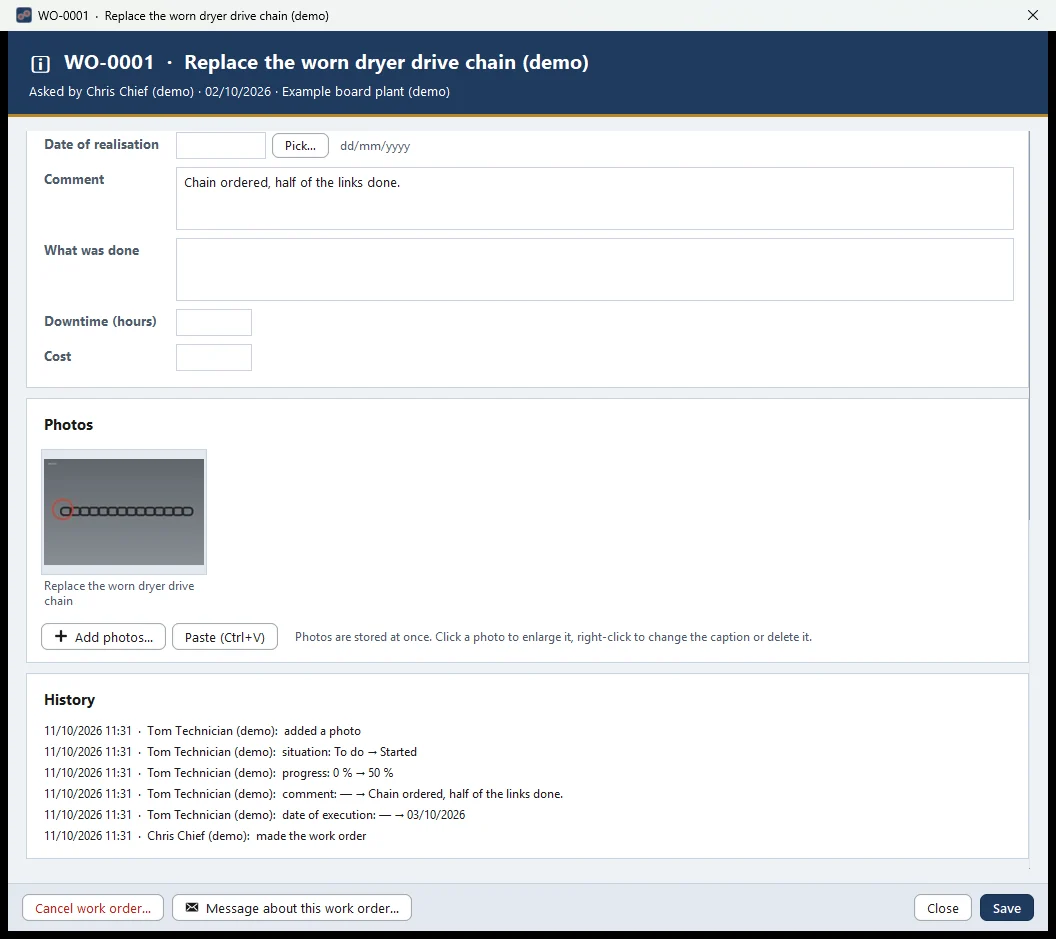
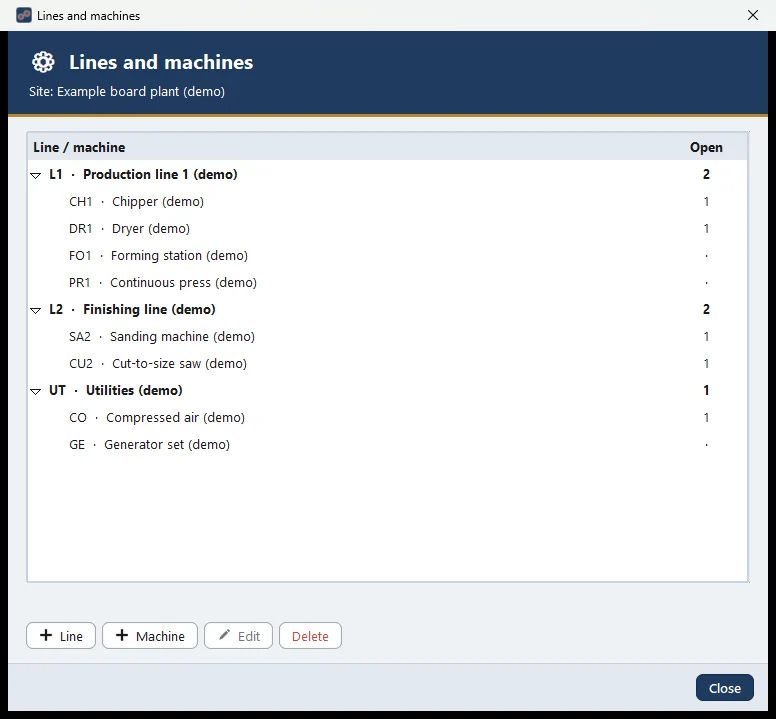
- Work orders per site, production line and machine.
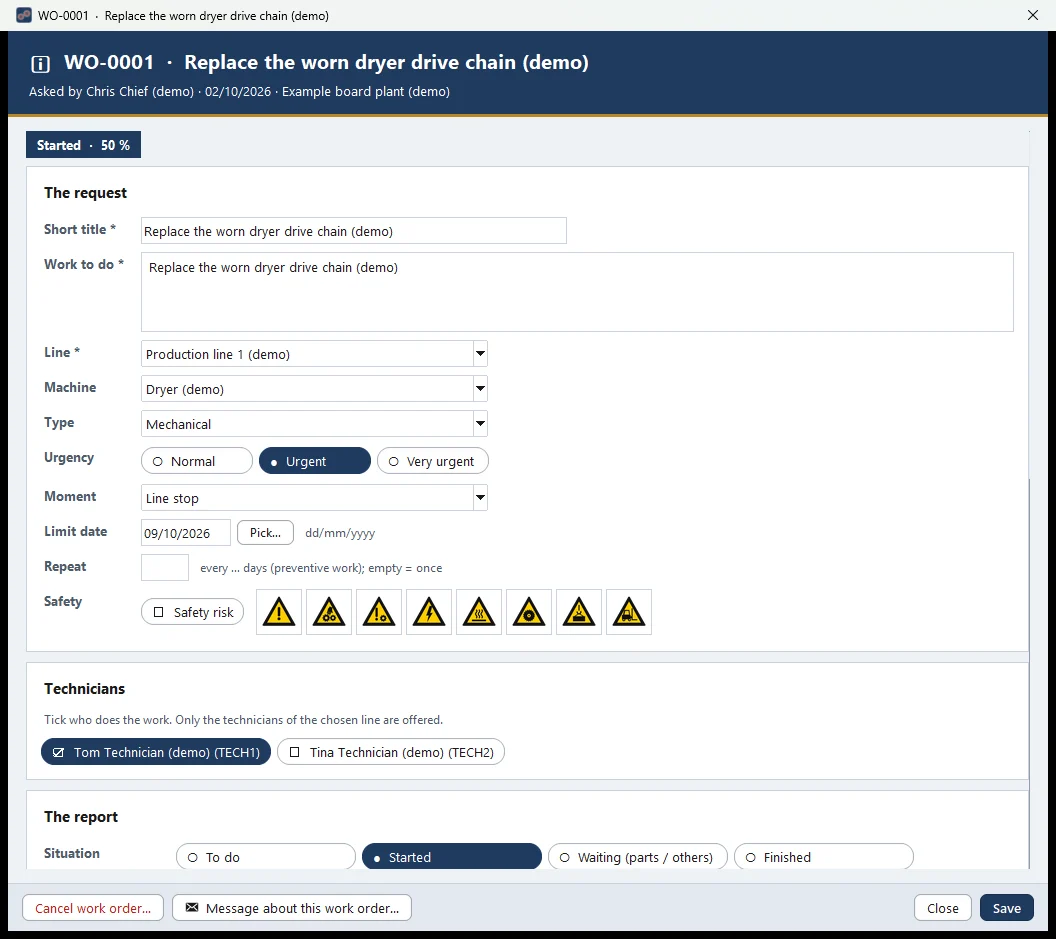
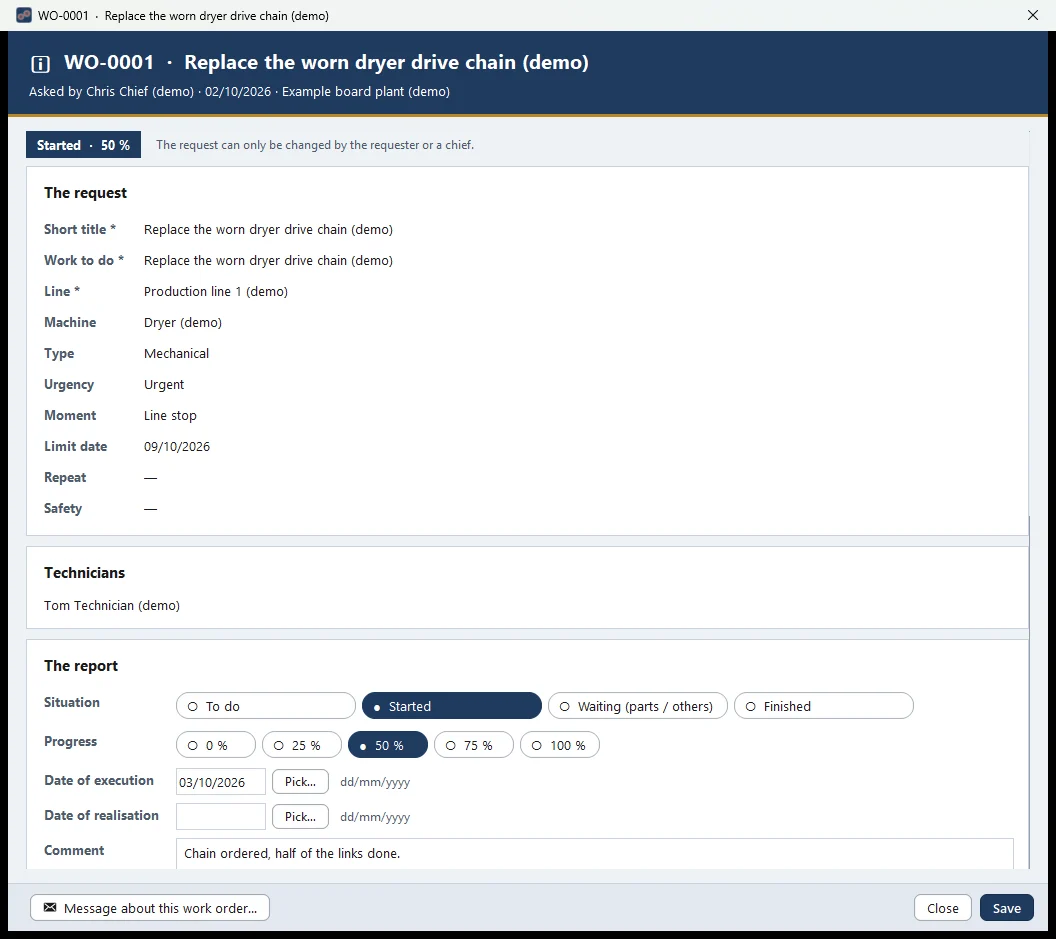
- Plan, follow and close maintenance work, with status, urgency, limit date and type of work.
- Preventive work: a work order can repeat every so many days.
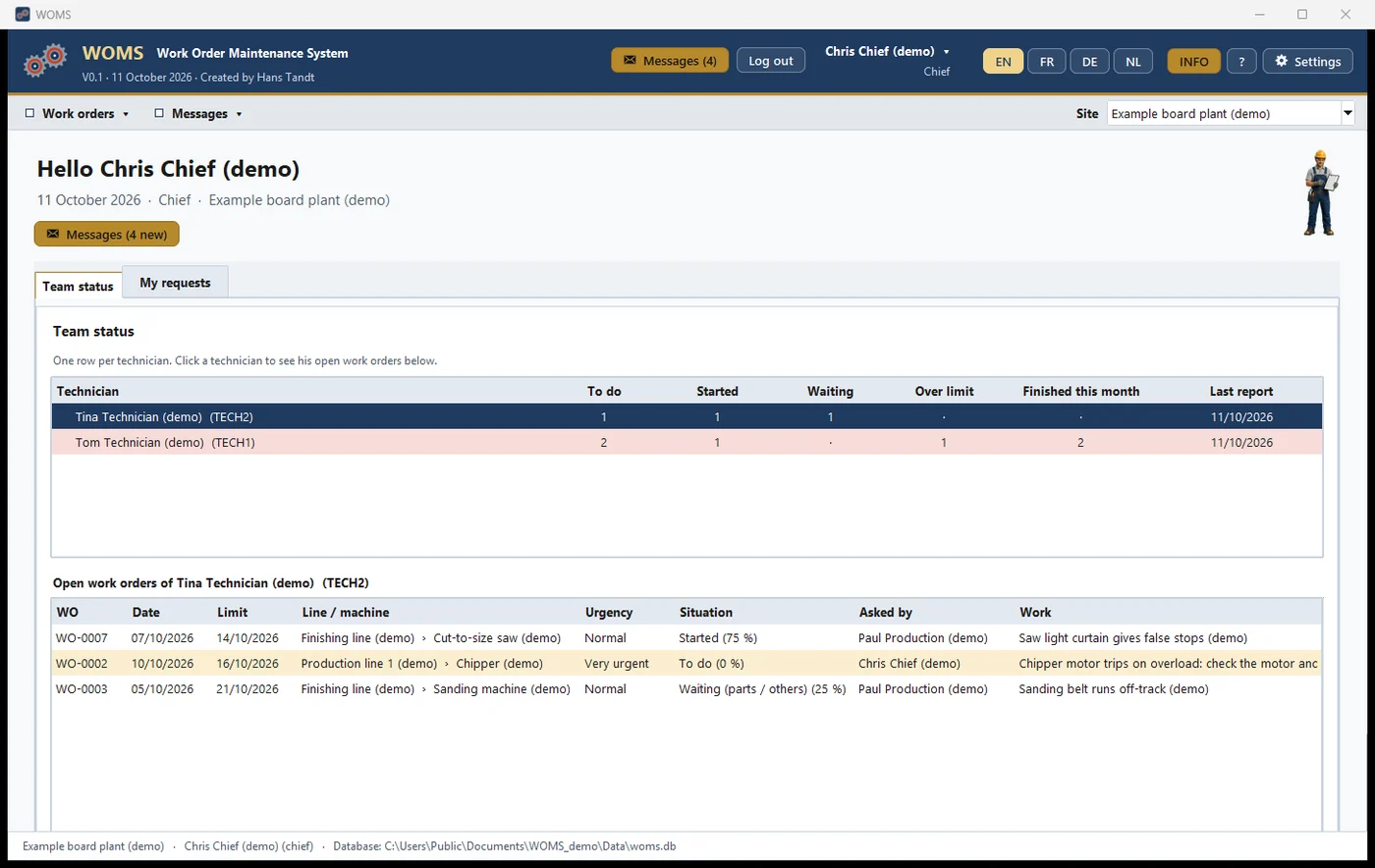
- A home screen for every role: the chief sees the whole team, the technician sees their own work.
- Photos and a full history on every work order.
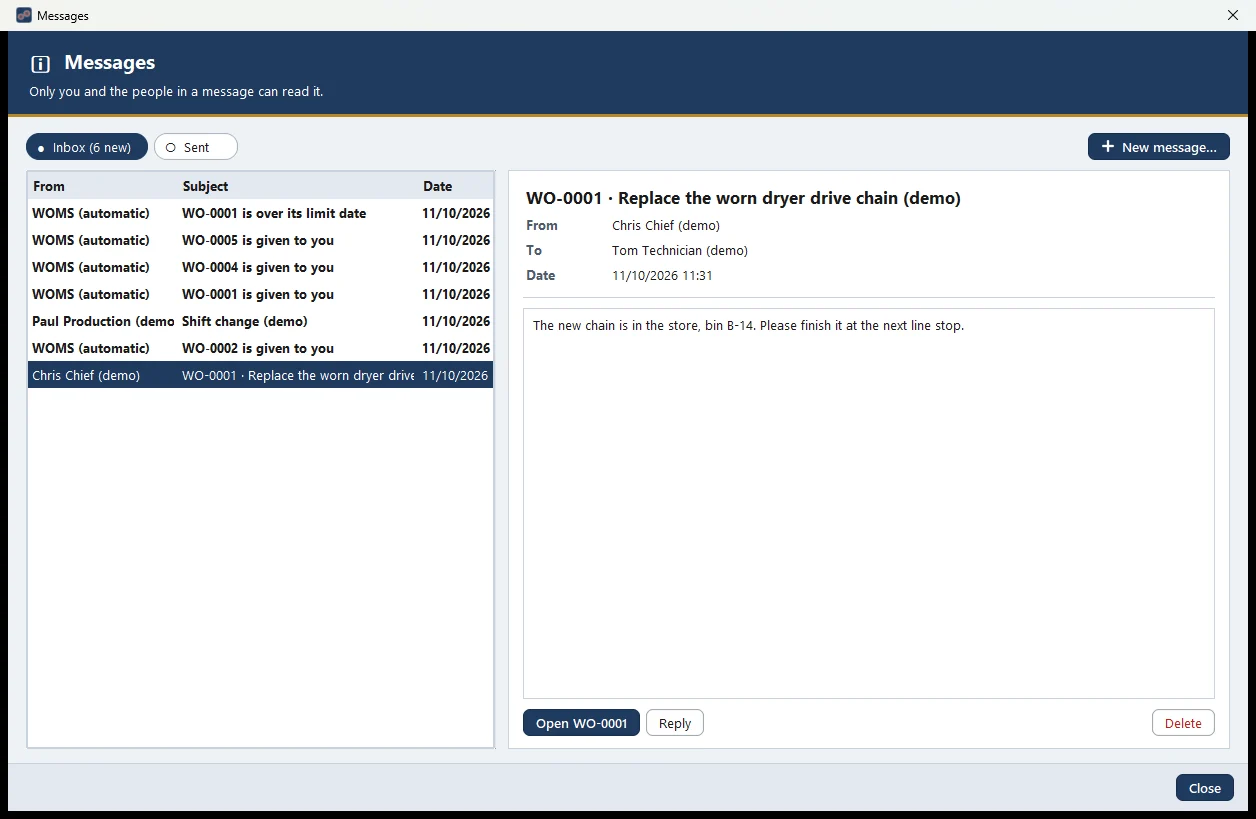
- Messages between shifts, and automatic messages when work is given or over its limit date.
- A clear handover between shifts: everyone sees what is open and what was done.
- Screens and lists in English, French, Dutch and German.
Why I'm building it again
Not every company needs a big maintenance system. Many small plants still follow their maintenance on paper, in Excel or in WhatsApp messages. The big systems are powerful, but expensive and complicated to install and configure; you need a project and an IT team before the first work order is written. Most simple tools today are cloud subscriptions, paid per user, every month.
I believe there is still room for something simple: a tool you install in minutes, that works on one PC from day one, keeps your data in your own company and speaks the language of the people on the floor. That is what WOMS did in 2003, and it is what I keep at its core today.
- Simple to install: one PC, no IT project.
- Your data stays in your company.
- No monthly subscription per user.
- In English, French, Dutch and German.
- Made for shift work: a clear handover from one shift to the next.
- Made from 35 years on the factory floor, not in a software office.
Three versions
WOMS runs on one PC. Good for one person, or one shared PC in the workshop.
Test version: end of October 2026The data is on a server in the company. WOMS is installed on several PCs (office, workshop, control room), and they all see the same work orders.
LaterNothing to install: open WOMS in a web browser, also on a tablet or phone on the shop floor.
LaterGood to know
- Still in development: version 0.1. A first stand-alone test version is planned for the end of October 2026.
- The licence is not decided yet.
- Built on the same base as Machine Fault Report.
Screenshots
With demo data. Click a screenshot to see it full size.